
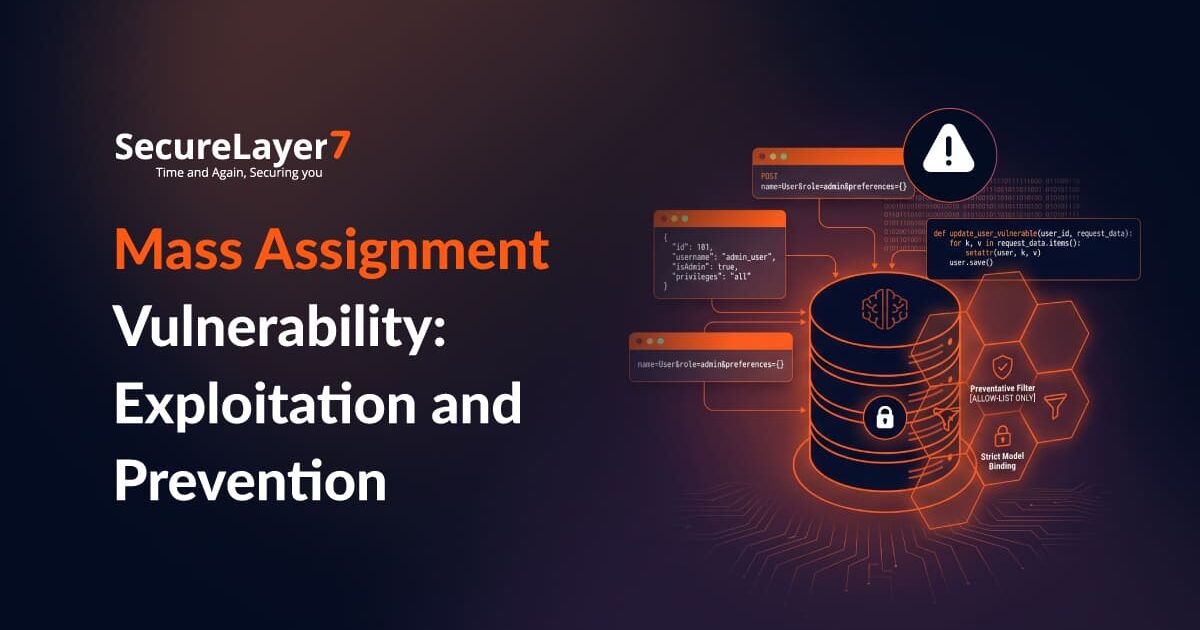
Mass assignment is a serious software design-related vulnerability which occurs when an application starts mapping all user inputs without verifying whether the user has permission to modify those fields. Depending on the application, attackers may modify sensitive properties, manipulate application state, or gain access to functionality they should not have.
This happens when development teams overdependence on built-in framework features to accelerate feature delivery by binding entire data submissions in a single action and without strict validation, which can allow attackers to easily change the parameters.
What Is Mass Assignment?
Mass assignment, also known as autobinding in Spring MVC and ASP NET MVC, or Object injection in PHP is a security vulnerability in which an attacker abuses an active record pattern in a web application to manipulate data items. These are sensitive data including items like password, granted permissions, or administrator status.
The basic problem is simple: the fields exposed to the user do not always match the fields available in the underlying application object.
Consider this form:
<form>
     <input name="userid" type="text">
     <input name="password" type="text">
     <input name="email" text="text">
     <input type="submit">
</form>
The form exposes three fields:
- user-id
- password
But the application object contains an additional property:
public class User {
    private String userid;
    private String password;
    private String email;
    private boolean isAdmin;

    //Getters & Setters
}
The isAdmin property is not part of the form, but it exists in the object receiving the submitted data.
The controller then accepts the User object:
@RequestMapping(value = "/addUser", method = RequestMethod.POST)
public String submit(User user) {
    userService.add(user);
    return "successPage";
}
A normal request might contain:
POST /addUser
...
userid=bobbytables&password=hashedpass&[email protected]
But an attacker can modify that request:
POST /addUser
...
userid=bobbytables&password=hashedpass&[email protected]&isAdmin=true
If this extra parameter is mass assigned to the User object, we could set isAdmin to a value of our choice, even though that field was never exposed on the form.That is what mass assignment is all about: a client controlled parameter can modify an object’s property that the client should not have access to.
The risk comes from the objects and properties that an application exposes through automatic data binding.
Mass Assignment Impact
Mass assignment can turn seemingly harmless API updates into a way to modify fields that users should never control. The consequences depend on which attributes an attacker can change, ranging from privilege escalation and financial abuse to bypassing verification and tampering with audit records.
1. Privilege Escalation
A standard user or low-level employee modifies their account parameters and changes their access level from basic to administrator. If the API accepts the change without checking authorization, the user can gain access to management consoles, proprietary systems, or other customers’ private records.
This can expose sensitive data, allow unauthorized configuration changes, and give attackers control over functions reserved for administrators.
2. Direct Financial Manipulation
During checkout, invoicing, or account top-ups, an attacker tampers with transaction fields, such as unit prices, discount percentages, or account balances. This can allow unpaid orders to go through, create fraudulent account credits, or trigger unauthorized payouts, resulting in direct financial losses.
3. Bypassing Identity and Compliance Gates
Many systems use internal status fields to track whether an account has completed onboarding, email verification, or two-factor authentication. If an attacker can modify these fields directly, they can mark required checks as complete without actually completing them.
This can result in unverified accounts gaining access to restricted features, sensitive data, or regulated services.
4. Compromised Audit Trails
Unchecked updates can also expose sensitive audit fields. An attacker may modify reviewer IDs, approval dates, timestamps, or other historical records. This can obscure who performed or approved an action, making investigations harder and undermining the reliability of records used for compliance and auditing.
When Does Mass Assignment Become Exploitable?
Automatic binding does not always lead to a vulnerability. If you can identify a sensitive field, either by knowing likely field names or by examining the source code, and that field belongs to an object being automatically bound, you may be able to exploit it.
When testing for mass assignment, look for the following:
- Can I identify a sensitive field?
- Can I pass a value for that field in a request?
- Will the application automatically bind that value to the object?
- Will the value actually change?
- Does that change have an effect on the application?
If you add an unknown parameter and it does nothing, there is no vulnerability.
However, if you can change a sensitive field and that change affects the application’s behavior, you have identified a mass assignment vulnerability.
A Real World Mass Assignment Case
Mass assignment can cause serious problems in production. A 2012 GitHub example documented by OWASP involved a user who was able to add a public key to an organization and make changes to its repositories. OWASP uses this incident as an example of the potential impact of mass assignment.
In Spring4Shell (CVE-2022-22965), attackers abused Spring’s auto-binding feature to navigate internal Java runtime objects. By passing crafted HTTP parameters that altered Tomcat’s access logging settings, remote attackers forced the server to create a web shell file, leading to total server takeover.
Development teams can prevent this by restricting input binding through explicit allow-lists and disallowing sensitive parameter traversal.
Similarly, CVE-2022-25776 in Mautic allowed standard users to upgrade their privileges to super-administrator. When users updated their personal profile data, the backend saved incoming role parameters directly to the database without checking access rights.
Developers can stop such privilege escalation by adopting dedicated Data Transfer Objects that accept only intended contact details, ensuring internal role attributes remain completely inaccessible to user submissions.
Common Mass Assignment Attack Targets
Attackers may look for properties that influence how the application treats an account, transaction, or workflow.
Common examples include:
- isAdmin
- role
- isVerified
- accountStatus
- isApproved
- subscriptionTier
- accountBalance
- discount
- ownerId
The impact depends on what the application does with the property.
For example:
For example, changing role=user to role=admin could affect authorization.
Similarly, changing isApproved=false to isApproved=true could interfere with an approval workflow.
Changing subscriptionTier=basic to subscriptionTier=enterprise could also affect entitlement logic.
These examples show why mass assignment is more than a simple input validation problem. The attacker is attempting to influence application state and business logic.
Why APIs Make Mass Assignment Important
APIs commonly accept structured objects containing multiple properties in a single request.
A request might look like:
{
  "name": "John",
  "email": "[email protected]",
  "phone": "+91XXXXXXXXXX",
  "subscriptionTier": "enterprise",
  "accountStatus": "active"
}
The application needs to check whether the user has permission to edit each attribute.We cannot rely on the frontend for security because users can make their own API calls and modify the requests they send.This becomes particularly important for APIs that accept large POST, PUT, or PATCH requests, where a single request may contain multiple attributes that the user should not be allowed to change.
Mass Assignment Across Frameworks
The exact mitigation depends on the framework, but the underlying principle remains the same: sensitive properties should not be automatically populated from untrusted input.
A. Spring MVC
Spring MVC supports automatic binding between request parameters and Java objects.
The vulnerable controller pattern is:
@RequestMapping(value = "/addUser", method = RequestMethod.POST)
public String submit(User user) {
    userService.add(user);
    return "successPage";
}
The application can restrict which fields the binder is allowed to populate:
@Controller
public class UserController
{
    @InitBinder
    public void initBinder(WebDataBinder binder, WebRequest request)
    {
        binder.setAllowedFields(["userid","password","email"]);
    }
...
}
This explicitly limits binding to the fields intended for the operation.
Spring also provides a mechanism for explicitly blocking sensitive properties:
@Controller
public class UserController
{
   @InitBinder
   public void initBinder(WebDataBinder binder, WebRequest request)
   {
      binder.setDisallowedFields(["isAdmin"]);
   }
...
}
Here, isAdmin is specifically prevented from being bound through the request.
The important point is that the application should deliberately define what the request is allowed to modify rather than assuming the framework knows which model properties are safe.
B. Node.js and Mongoose
Node.js applications using Mongoose can encounter the same issue when request data is passed into a model.
The OWASP example uses an explicit list of safe fields:
var UserSchema = new mongoose.Schema({
    userid: String,
    password: String,
    email : String,
    isAdmin : Boolean,
});
UserSchema.statics = {
    User.userCreateSafeFields: ['userid', 'password', 'email']
};
var User = mongoose.model('User', UserSchema);
_ = require('underscore');
var user = new User(_.pick(req.body, User.userCreateSafeFields));
The model still contains isAdmin, but the application selects only the fields intended for user controlled input before creating the object.
The reference also provides a block listing implementation using mongoose-mass-assign:
var massAssign = require('mongoose-mass-assign');

var UserSchema = new mongoose.Schema({
    userid: String,
    password: String,
    email : String,
    isAdmin : { type: Boolean, protect: true, default: false }
});
UserSchema.plugin(massAssign);
var User = mongoose.model('User', UserSchema);
/** Static method, useful for creation **/
var user = User.massAssign(req.body);
/** Instance method, useful for updating**/
var user = new User;
user.massAssign(req.body);
/** Static massUpdate method **/
var input = { userid: 'bhelx', isAdmin: 'true' };
User.update({ '_id': someId }, { $set: User.massUpdate(input) }, console.log);
In this example, the isAdmin property is marked as protected before the plugin handles mass assignment.
C. Laravel and Eloquent
Laravel’s Eloquent ORM provides controls for defining which model attributes can be mass assigned.
The reference provides an allowlist example using $fillable:
<?php
namespace App;
use Illuminate\Database\Eloquent\Model;
class User extends Model
{
    private $userid;
    private $password;
    private $email;
    private $isAdmin;
    protected $fillable = array('userid','password','email');
}
Only the fields specified in $fillable are included in the mass assignment list.
The reference also shows the alternative $guarded approach:
<?php
namespace App;
use Illuminate\Database\Eloquent\Model;
class User extends Model
{
    private $userid;
    private $password;
    private $email;
    private $isAdmin;
    protected $guarded = array('isAdmin');
}
Here, isAdmin is explicitly protected from mass assignment.
How to Detect Mass Assignment
Mass assignment can be difficult for automated scanners to identify because the malicious request may still be perfectly valid HTTP and JSON.
Testing, therefore, needs to focus on application behavior.A tester can begin by identifying endpoints that create or update objects:
- POST /api/users
- PUT /api/users/123
- PATCH /api/profile
- PATCH /api/orders/123
Then, your next course of action should be:
1. Capture a legitimate request:Start with the request generated by the application’s normal workflow.
2. Identify possible sensitive properties: Review API responses, documentation, source code where available, or application behavior for properties that influence permissions or business logic.
3. Add unexpected parameters
For example:
{
  "email": "[email protected]",
  "isAdmin": true
}
4. Test one property at a time:Testing properties individually makes it easier to determine which parameter is accepted and what effect it produces.
5. Verify the result: Do not stop at the HTTP response.
Determine whether the property:
- Was accepted
- Was persisted
- Appears in a subsequent response
- Changes application behavior
- Changes authorization
- Alters a business workflow
Code Review: What to Look For
During a source code review, pay particular attention to patterns where request data flows directly into application models.
For example:
User.update(req.body);
This type of unrestricted update deserves closer examination because the request body may contain properties that should not be controlled by the client. The key question during review is: Which fields does this endpoint actually need to update?
The code should then ensure that only those fields can reach the model.
Mass Assignment and Broken Access Control
Mass assignment and broken access control are related, but they describe different problems. Mass assignment is fundamentally a data binding problem. Broken access control is an authorization problem.
For example, if a user changes:
{
  "role": "admin"
}
because the application automatically binds the request to its user object, the underlying issue is mass assignment.
If the application subsequently grants that account administrative privileges, the result becomes an authorization failure as well. Understanding the distinction matters because fixing only the final authorization symptom may leave other sensitive object properties exposed.
Best Practices For Preventing Mass Assignment
The OWASP reference identifies several approaches for preventing mass assignment:
- Allowlist bindable, non sensitive fields.
- Blocklist non bindable, sensitive fields.
- Use Data Transfer Objects.
It also recommends avoiding direct binding of user input to domain objects and limiting the fields that can be populated from external input. For framework based applications, relevant controls include:
- Spring MVC’s setAllowedFields() or setDisallowedFields()
- Mongoose field selection or protected properties
- Laravel’s $fillable or $guarded
- DTOs where appropriate
The exact mechanism differs, but the security objective remains the same: do not let an HTTP request automatically determine which internal properties can be changed.
Conclusion
Mass assignment is a good example of how a small development convenience can become a security problem when the application’s trust boundary is not clearly defined.
That is why testing should go beyond checking whether an API accepts unexpected parameters. The real question is what happens after the parameter reaches the application’s object model.
Looking to strengthen your security posture? SecureLayer7 helps organizations identify vulnerabilities, reduce risk, and defend against evolving cyber threats. Contact our experts to get started.
Frequently Asked Questions (FAQs)
Yes. The underlying problem remains relevant wherever applications automatically map user controlled input to internal object properties.
Not reliably. A mass assignment request can contain valid parameters and look like an ordinary application request. The application needs to control which properties can be modified.
No. It is primarily a property manipulation and data binding flaw rather than an injection attack such as SQL injection or command injection.
